Cybersecurity awareness is a critical component of a startup's security posture. Employees are often the first line of defense, and startups—due to limited resources—are particularly vulnerable to human-factor attacks like phishing, credential theft, and social engineering.
Importance for Startups
High Attack Surface: Startups often leverage cloud services, remote work, and third-party SaaS tools, increasing exposure.
Limited IT Security Staff: Awareness training compensates for lack of dedicated security personnel.
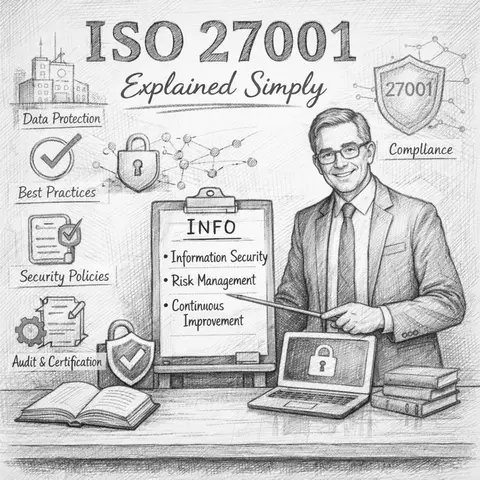
Regulatory Compliance: ISO 27001 requires organizations to ensure users are aware of security policies (A.7.2.2, A.8.1.4).
Core Components of Training
Educate staff on startup security policies:
Topic
Explanation
Common Mistakes
Acceptable Use
Define what systems and services can be used
Employees using personal devices for sensitive data without approval
Password Management
Use password managers, MFA
Reusing weak passwords across services
Data Handling
Classification, encryption, retention
Sending sensitive data over unsecured channels
Policy and Governance Awareness
Educate staff on startup security policies by ensuring everyone understands not just what the policies are, but why they matter. This includes:
Clear Communication:
Provide easy-to-understand documentation on security rules, data-handling procedures, and acceptable-use policies.
Regular Training:
Conduct periodic training sessions or short workshops to reinforce best practices and keep staff updated as policies evolve.
Role-Based Guidance:
Tailor security expectations to each team's responsibilities (e.g., engineering, operations, marketing).
Real-World Scenarios:
Use examples of common security incidents—such as phishing or data mishandling—to illustrate the impact of policy violations.
Accountability & Compliance:
Ensure employees know their obligations and the consequences of policy breaches, fostering a culture of responsibility.
Ongoing Awareness:
Share updates, reminders, and quick tips through internal channels to keep security top of mind.
Overall, the goal is to build a culture where security is everyone's responsibility, supported by clear governance and continuous education.
Phishing and Social Engineering Awareness
Strengthening employees' ability to recognize and respond to phishing and social engineering attacks is a core part of cybersecurity awareness training. These attacks exploit human behavior, not technology — making staff education essential.
What to Cover in Training?
Understanding Phishing
Explain what phishing is: attempts to deceive individuals into revealing sensitive information.
Highlight common formats: emails, text messages (smishing), phone calls (vishing), fake login pages, and malicious links.
Red Flags to Recognize
Unexpected requests for passwords, financial info, or urgent actions.
Suspicious sender addresses or domain misspellings.
Poor grammar, odd tone, or unusual formatting.
Links that don't match the visible text when hovered over.
Baiting: Offering something enticing (e.g., free software, USB drives) to trick users.
Tailgating/Piggybacking: Gaining physical access by following someone into a restricted area.
Impersonation: Pretending to be a vendor, customer, or coworker to build trust.
How to Respond Safely
Never click unknown links or download unexpected files.
Verify suspicious requests through a separate known channel (e.g., call the person directly).
Report suspicious messages immediately to the security or IT team.
Do not engage with suspicious callers; end the call and escalate.
Simulated Phishing Exercises
Run periodic internal phishing tests to gauge employee readiness.
Provide constructive feedback and micro-learning sessions after each simulation.
Reinforcing a Security-First Mindset
Encourage employees to ask questions when something feels “off.”
Normalize reporting suspected phishing — no blame culture.
Emphasize that vigilance protects not only the company but also personal data.
Educating staff on phishing and social engineering builds a human firewall, reducing the risk of breaches caused by manipulation rather than technical exploitation.
Training Exercise Example:
# PowerShell example to simulate phishing awarenessSend-MailMessage -To "user@example.com" -From "admin@startup.com" -Subject "Urgent: Verify Account" -Body "Click the link to verify your account" -SmtpServer "smtp.startup.com"
Detection & Reporting: Teach staff to identify suspicious emails, report using internal channels, or forward to SOC.
Real-World Example: In 2023, a SaaS startup lost $120k due to a CEO impersonation attack.
Secure Development Awareness
Secure Development Awareness ensures that engineers, product teams, and anyone involved in the software lifecycle understand how to build applications with security from the start, not as an afterthought. This reduces vulnerabilities, speeds up delivery, and prevents costly fixes later.
Key Topics to Cover
Shift-Left Security Mindset
Introduce security considerations early in the design and development process.
Encourage developers to anticipate risks before writing code.
Secure Coding Practices
Teach common coding pitfalls that lead to security issues (e.g., injection flaws, insecure deserialization, improper input handling).
Use established secure coding standards such as OWASP, CWE, or internal guidelines.
Threat Modeling Basics
Train developers to identify potential threats, attack paths, and weak points during the architecture phase.
Use simple frameworks like STRIDE or PASTA so the process is lightweight and repeatable.
Dependency and Supply Chain Security
Emphasize using trustworthy packages, keeping dependencies updated, and scanning for known vulnerabilities.
Explain risks associated with open-source libraries and how to manage them responsibly.
Secure Use of APIs and Secrets
Highlight proper handling of API keys, tokens, and passwords.
Promote the use of secret managers rather than hardcoding credentials.
Secure Configuration & Environment Awareness
Train developers on avoiding insecure defaults, limiting permissions, and ensuring proper configuration for cloud services, containers, and CI/CD pipelines.
Static & Dynamic Analysis Tools
Show how to use SAST, DAST, SCA, and linting tools to catch issues early.
Make these tools part of the development workflow rather than optional.
Code Review for Security
Incorporate security checks into peer review processes.
Encourage a culture where spotting a vulnerability is seen as a win, not criticism.
Common Vulnerability Classes (OWASP Top 10)
Provide practical, real-world examples of issues like XSS, CSRF, insecure authentication, and access control flaws.
Offer hands-on training or labs to reinforce concepts.
Documentation & Knowledge Sharing
Maintain internal secure coding references.
Encourage sharing learnings from incidents, audits, or bug bounty reports.
By building Secure Development Awareness, you empower engineering teams to produce safer, more resilient software — ultimately reducing risk, strengthening user trust, and creating a security-first culture throughout the entire development lifecycle.
For engineering teams:
# Bash script example to check for secrets in git historygit log -p | grep -i "password\|secret\|apikey"
Best Practices: Code reviews, secret scanning, dependency management.
Common Mistakes: Hardcoding credentials, sharing API keys in public repos.
Device and Endpoint Security
Device and Endpoint Security focuses on protecting all the computers, laptops, mobile devices, and other endpoints that employees use to access company systems. Since these devices are often the first target for attackers, securing them is essential to prevent malware infections, data leaks, and unauthorized access.
Why It Matters?
Endpoints are entry points into your company's network. If an attacker compromises one device, they can often move laterally, escalate privileges, or steal sensitive information. Strong endpoint security minimizes this risk.
Key Components of Device & Endpoint Security
1. Device Hardening
Remove unnecessary software and services.
Disable unused ports, features, or default accounts.
Apply least-privilege principles to reduce attack surface.
2. Patch and Update Management
Keep operating systems, applications, and firmware up to date.
Apply security patches promptly to reduce exposure to known vulnerabilities.
3. Endpoint Protection Tools
Antivirus/antimalware solutions.
EDR (Endpoint Detection and Response) tools for real-time monitoring.
Host-based firewalls to control inbound/outbound traffic.
4. Secure Configuration Standards
Standardize device configurations across the organization.
Follow CIS benchmarks or internal security baselines.
Prevent misconfigurations that create exploitable weaknesses.
5. Disk Encryption
Enforce full disk encryption on laptops and mobile devices.
Protects sensitive data if a device is lost or stolen.
6. Access Control and Authentication
Require strong passwords and multi-factor authentication (MFA).
Lock devices after short periods of inactivity.
Use biometric or hardware-based authentication when available.
7. Secure Use of Mobile Devices
Implement MDM/MAM solutions to manage and secure mobile devices.
Control app installations and enforce data separation (company vs personal).
Allow remote wipe for lost devices.
8. Endpoint Monitoring and Logging
Collect logs from workstations and servers.
Detect suspicious activity like unusual network traffic or unauthorized installations.
Integrate alerts with the security team or SIEM solutions.
9. USB and Peripheral Control
Restrict use of external storage devices.
Monitor or block untrusted USB devices to prevent malware and data exfiltration.
10. User Awareness for Endpoint Safety
Train staff on safe device usage.
Warn about installing unapproved software or connecting to unknown Wi-Fi networks.
Encourage reporting lost devices or suspicious behavior immediately.
Goal
With strong Device and Endpoint Security practices, the organization ensures that every device accessing company data is secure, monitored, and properly managed—significantly reducing the risk of breaches or compromise.
Checklist for Employees:
Enable full-disk encryption
Use MFA for all accounts
Keep OS and software patched
Avoid public Wi-Fi without VPN
Cloud and SaaS Awareness
Cloud and SaaS Awareness ensures that employees understand how to safely use cloud platforms (AWS, GCP, Azure) and SaaS applications (e.g., Google Workspace, Slack, GitHub, Salesforce). Because startups rely heavily on cloud tools, staff must know how to handle data securely and avoid misconfigurations that can expose sensitive information.
Why It Matters?
Cloud and SaaS platforms are powerful — but they introduce shared responsibility, meaning the provider secures some parts, while your team must secure the rest. Most cloud breaches come from human mistakes, not provider failures.
Key Elements of Cloud & SaaS Awareness
1. Understanding the Shared Responsibility Model
Cloud providers secure the underlying infrastructure.
Your organization is responsible for configuration, access, and data protection.
Employees should know which parts they are accountable for.
2. Secure Account and Access Management
Enforce MFA on all cloud and SaaS accounts.
Use role-based access control (RBAC) to ensure least privilege.
Require separate admin and user accounts.
Never share accounts or credentials.
3. Data Classification and Handling in the Cloud
Understand what data is safe to store in each cloud tool.
Apply proper data labels (public, internal, confidential, restricted).
Employees should know which services are approved for sensitive data.
4. Safe Use of SaaS Applications
Only use applications approved by IT/security.
Avoid “shadow IT” — employees signing up for unauthorized SaaS tools with company data.
Review app permissions before granting access to files or accounts.
5. Cloud Configuration Awareness
Even non-engineers should understand basic risks such as:
Publicly exposed buckets or databases.
Misconfigured access policies.
Weak or outdated IAM roles.
Disabled logging or monitoring.
(These aren't engineering-level tasks — just awareness of what can go wrong.)
6. API Key and Credential Safety
Never embed keys in code, screenshots, or shared documents.
Use secret managers or environment variables.
Revoke unused or old API keys immediately.
7. Secure Collaboration Practices
Understand sharing permissions in tools like Google Drive or Dropbox.
Avoid making documents “public” unless required.
Regularly review shared file lists.
8. Recognizing Cloud-Based Threats
Train employees to spot:
OAuth phishing (apps asking for excessive permissions).
Fake cloud login pages.
Suspicious cloud alerts or session logins.
Unauthorized sharing or file access.
9. Monitoring and Logging Awareness
Employees should understand the purpose of:
Audit logs in SaaS tools (e.g., admin console reports).
Cloud service alerts (unusual login, access from new locations).
Why logs must never be turned off.
10. Backup and Recovery Basics
Know which cloud tools automatically back up data and which do not.
Understand versioning, restore options, and how accidental deletions are handled.
Report data loss or corruption immediately.
Goal:
Cloud and SaaS Awareness ensures staff use cloud tools securely, responsibly, and in line with company policies, reducing the likelihood of data exposure, misconfiguration, or account compromise. It helps create a cloud-first culture that is also security-first.
Teach staff about misconfigured cloud storage (e.g., S3 buckets)
Example SIEM log for detection of suspicious cloud access:
SELECT user, ip, activityFROM cloud_access_logsWHERE activity = 'DELETE_BUCKET'AND ip NOT IN (trusted_ip_list);
Implementing an Effective Program
Baseline Assessment: Conduct phishing simulations and security quizzes to gauge awareness.
Role-Based Training: Tailor content to developers, finance, HR, and executive teams.
Frequency & Updates: Quarterly refresher sessions; update content with emerging threats.
 Shadow IT