Javascript in Hacker Hands: The Dark Side of the Web with 5 Real Examples
JavaScript, the language of the browser, isn't just used for interactive websites and dynamic content. In the wrong hands, JavaScript becomes a potent weapon. From phishing attacks to keyloggers, its client-side power gives hackers direct access to what users see, type, and click.
Introduction to JavaScript in Hacker Hands
JavaScript is executed in the browser, meaning it runs directly on a user's machine with access to the Document Object Model (DOM), cookies, local storage, and more. While this empowers developers, it also opens a wide attack surface.
How JavaScript Works in the Browser
When a user opens a webpage, the browser parses the HTML and executes any JavaScript it finds. This can be loaded from external files or embedded in <script> tags. JavaScript can manipulate:
The DOM (to change page content)
Forms and inputs (to log or alter user data)
Browser storage (like localStorage or sessionStorage)
Cookies (especially those not flagged as HttpOnly)
Common JavaScript Exploits Used by Hackers
Some of the most prevalent attack types involving JavaScript include:
XSS (Cross-Site Scripting): Injecting malicious scripts into web pages.
Keylogging: Capturing user keystrokes.
Session Hijacking: Stealing session cookies.
Clickjacking: Tricking users into clicking hidden elements.
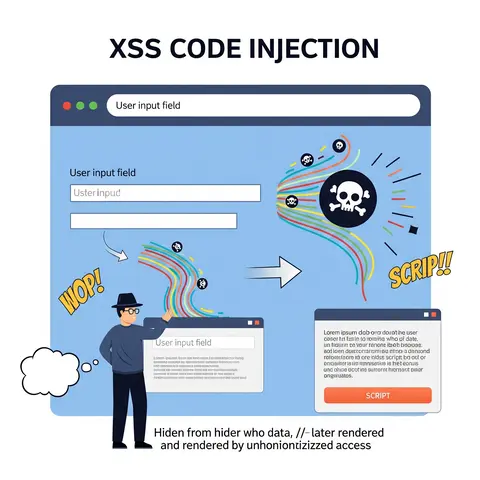
Example 1: XSS Attack in JavaScript
Cross-Site Scripting (XSS) lets attackers inject JavaScript into web pages viewed by other users.
Modern browsers block this behavior, but creative attackers find workarounds.
Using JavaScript in Social Engineering
JavaScript enhances social engineering:
Fake update prompts
Redirects to malware sites
Auto-filling fake inputs
alert("Your browser is out of date. Click OK to update.");window.location = "http://fake-update.com";
Mitigation: Securing Against JavaScript Attacks
Here's how to defend your application:
Technique
Description
CSP Headers
Whitelist allowed scripts
Input Sanitization
Strip/escape user input
HttpOnly Cookies
Prevent JS from accessing cookies
Framework Usage
Use Angular/React for built-in protection
Subresource Integrity
Verify third-party scripts
Tools Hackers Use with JavaScript
BeEF (Browser Exploitation Framework)
Burp Suite for intercepting JS
DevTools for manipulating live pages
Legal and Ethical Concerns
While learning these techniques is crucial for defense, using them offensively without consent is illegal. Always test in controlled environments like Hack The Box, TryHackMe, or OWASP Juice Shop.
Frequently Asked Questions (FAQs)
Can JavaScript really be dangerous?
Yes, it can steal data, track users, and manipulate pages in real-time.
What is the most common JavaScript attack?
Cross-Site Scripting (XSS) is the most widely used JS-based exploit.
How do hackers hide malicious JavaScript?
Through obfuscation, encoding, and inline execution.
Can JavaScript download malware?
Indirectly, yes—by redirecting or embedding malicious links.
Is it safe to disable JavaScript in browsers?
Yes, but it breaks functionality on many websites.
How can I test my site against JavaScript exploits?
Use tools like ZAP Proxy, Burp Suite, and apply CSP headers.
Conclusion
JavaScript is both a blessing and a curse—an essential part of modern web development and a powerful weapon in hacker hands. Understanding how it can be abused is the first step toward building safer applications. Developers must secure inputs, use proper headers, and test their apps for vulnerabilities regularly.
 Content Security Policy