Active Directory Domains: The Core of Enterprise Identity
In the world of Windows networking, the Active Directory (AD) Domain is the fundamental unit of logical structure. It is more than just a collection of computers; it is a security boundary, a replication unit, and an administrative sphere that defines how users, computers, and policies interact.
While Workgroups are decentralized peer-to-peer networks where each computer manages its own security database (SAM), a Domain centralizes this management. This centralization is what makes AD powerful for administrators but also a high-value target for attackers.
What is a Domain?
A domain is a logical group of network objects (computers, users, devices) that share the same Active Directory database.
Key Characteristics:
Single Security Boundary: Security policies and settings (like password complexity) can be applied to all objects within the domain.
Centralized Administration: Administrators can manage thousands of users and computers from a single location.
Replication Unit: All Domain Controllers (DCs) in a domain replicate the domain partition of the AD database.
Namespace: Domains are identified by a DNS name (e.g., corp.local or company.com).
The server that holds the AD database and authenticates users is called a Domain Controller (DC).
Domain vs. Workgroup
Feature
Workgroup
Domain
Management
Decentralized (each PC managed individually)
Centralized (managed via DCs)
Security
Low (local accounts only)
High (Kerberos, centralized policies)
Scalability
Low (suitable for <10 PCs)
High (supports millions of objects)
Authentication
Local SAM database on each machine
Centralized AD database (NTDS.dit)
Cybersecurity Attack Surfaces
Because the domain controls access to the entire network, compromising it is often the primary goal of an attacker (Privilege Escalation to Domain Admin). Here are the most common attack surfaces within an AD Domain.
1. Domain Controllers (DCs)
The DC is the heart of the domain. It hosts the NTDS.dit database which contains all user hashes.
Physical/Virtual Access: If an attacker gains physical or virtual access to a DC, they can extract the NTDS.dit file and offline crack passwords.
Patching Gaps: Vulnerabilities like Zerologon (CVE-2020-1472) allowed attackers to instantly become Domain Admin by exploiting a cryptographic flaw in the Netlogon protocol.
PrintNightmare: Exploiting the Print Spooler service running on DCs to execute remote code.
Defense:
Treat DCs as Tier 0 assets.
Limit login rights to DCs (no Domain Admins logging into workstations!).
Disable the Print Spooler service on DCs if not absolutely necessary.
2. Authentication Protocols (Kerberos & NTLM)
Active Directory primarily uses Kerberos, but NTLM is often still present for legacy compatibility. Both are susceptible to specific attacks.
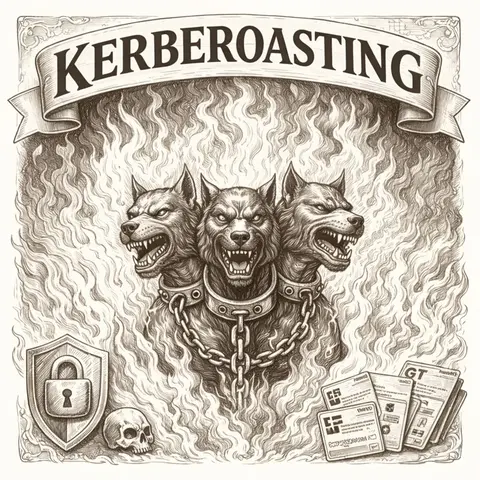
Kerberoasting: Attackers request a Kerberos service ticket for a service account (SPN). They can then crack the ticket offline to reveal the service account's plaintext password.
# Example using PowerView (dev branch) to find roastable usersGet-DomainUser -SPN# Using Rubeus to request a ticket.\Rubeus.exe kerberoast /simple /outfile:hashes.txt
AS-REP Roasting: If a user does not require "Pre-Authentication", an attacker can request a TGT for that user and crack the encrypted part to guess the password.
Golden Ticket: If an attacker gets the krbtgt account hash (usually by compromising a DC), they can forge a valid TGT for any user (including a non-existent one) with any privileges, effective for 10 years by default.
Defense:
Use long, complex passwords for service accounts (25+ characters).
Enable "Do not require Kerberos preauthentication" only when strictly necessary and monitor closely.
Rotate the krbtgt password regularly (twice to invalidate old tickets).
3. LDAP Reconnaissance
LDAP (Lightweight Directory Access Protocol) is used to query the AD database. By default, any authenticated user can query almost the entire directory.
Attackers use tools like BloodHound or adfind to map out the network, finding "Paths to Domain Admin" — e.g., User A is admin on PC B, where Admin C is logged in, and Admin C is a Domain Admin.
Operating System Enumeration: Identifying outdated OS versions (e.g., Server 2008) via LDAP attributes.
Monitor LDAP queries, especially large volumes of queries from standard user workstations.
Use "Honey Accounts" — fake admin accounts that trigger alerts when queried or accessed.
4. Group Policy Objects (GPO)
GPOs control settings across the domain.
GPO Abuse: If an attacker gains rights to edit a GPO, they can push a malicious scheduled task or startup script to all computers in the domain, effectively deploying ransomware or malware instantly.
SYSVOL Passwords: Historically, passwords were sometimes stored in SYSVOL (GPP) which authenticated users could read. (Patched, but legacy policies may still exist).
Defense:
Strictly limit who can edit GPOs.
Monitor changes to GPO settings.
Scan SYSVOL for XML files containing "cpassword" fields.
5. DNS and Naming Services
AD relies heavily on DNS.
ADIDNS / LLMNR / NBT-NS Poisoning: Tools like Responder listen for broadcast name resolution requests. When a victim asks "Where is FILESERVER?", the attacker says "I am FILESERVER", captures the victim's NTLMv2 hash, and can then relay it or crack it.
Administrators and attackers alike use PowerShell to understand the domain structure. The built-in ActiveDirectory module is standard, but specialized tools exist.
# Standard ActiveDirectory ModuleImport-Module ActiveDirectory# Get current domain detailsGet-ADDomain# Get all Domain ControllersGet-ADDomainController -Filter *# Get Domain Trust relationshipsGet-ADTrust -Filter *
Using native .NET (no external module needed, often used by attackers to avoid detection):
# Get Domain object using .NET classes$domain = [System.DirectoryServices.ActiveDirectory.Domain]::GetCurrentDomain()$domain.Name$domain.PdcRoleOwner.Name
Conclusion
The Active Directory Domain is the castle compliant with the keys to the kingdom. While it simplifies management, its default configurations often prioritize convenience over security. Hardening a domain is not a one-time task but a continuous process of patching, monitoring, and reducing the attack surface.
 Active Directory