Blog Understanding the Security Account Manager (SAM) in Windows and Active Directory Understanding the Security Account Manager (SAM) in Windows and Active Directory
The Security Account Manager (SAM) is a core OS component responsible for storing and protecting local user accounts, password hashes, and related security identifiers. Although Active Directory environments centralize authentication, every Windows machine still maintains a local SAM database—with important security implications.
This guide provides a clear technical explanation of how the SAM works, how attackers exploit it, and how defenders can protect it. Code examples are included for real-world use.
What is the SAM?
The Security Account Manager (SAM) is a registry-based database located at:
C:\Windows\System32\config\SAM
It stores:
Local users and groups
NTLM password hashes
Account metadata
Security identifiers (SIDs)
Windows locks the SAM file while running, preventing direct access.
The SAM works together with:
SYSTEM hive - contains the key needed to decrypt SAM hashesSECURITY hive - contains additional security policiesLSASS - the subsystem enforcing authentication
SAM in Active Directory Environments
Even in domain-joined systems, the SAM stores local accounts such as:
Local Administrator
Technician or service-created accounts
Application-related local users
Recovery or maintenance accounts
Active Directory accounts are stored in NTDS.dit , not SAM.
How SAM and LSASS Interact
During authentication:
LSASS retrieves NTLM hashes from SAM.
LSASS performs comparison and authorization.
LSASS may store decrypted credentials in memory.
This makes LSASS a prime target for credential-harvesting attacks.
Common SAM Attack Techniques
1. Offline SAM Extraction
If an attacker boots into WinPE or another OS:
copy C:\ Windows \ System32 \ config \ SAM D:\ loot \ copy C:\ Windows \ System32 \ config \ SYSTEM D:\ loot \ With SAM + SYSTEM, NTLM hashes can be decrypted offline.
2. Dumping SAM Using reg save
Attackers with SYSTEM privilege can dump the hives:
reg save hklm\sam C:\temp\SAM.bak
reg save hklm\system C:\temp\SYSTEM.bak
3. Impacket-based Hash Extraction
For pentesters:
secretsdump.py -sam SAM -system SYSTEM LOCAL Or remote extraction:
impacket-samrdump user:pass@10.10.10.15
4. LSASS Credential Dumping
Tools such as Mimikatz or comsvcs.dll injection can extract plaintext credentials and NTLM hashes that have been loaded into LSASS.
Enumerating SAM Data (Legitimately)
List Local SAM Accounts
Get-LocalUser
Get-LocalGroup
Password Policy (local machine)
net accounts Check Local SIDs
Get-LocalUser | Select Name, SID Common RIDs:
500 → Administrator
501 → Guest
1000+ → Standard local users
Resetting Local SAM Passwords (Admin Use)
Reset a password without knowing the previous one:
net user testuser NewStr0ngPass! Or:
Set-LocalUser - Name "testuser" - Password ( Read-Host - AsSecureString)
How SAM Stores Password Hashes
SAM stores:
NTLM password hashes LM hashes (disabled by default due to insecurity)
Hashes are encrypted using a key stored in the SYSTEM hive.
Security issues:
NTLM is vulnerable to pass-the-hash
Weak passwords crack quickly offline
Hardening SAM and Local Credentials
Disable Local Administrator
Disable-LocalUser - Name "Administrator" Enable Microsoft LAPS / Entra LAPS
Provides unique random passwords per device.
Protect LSASS
Enable-WindowsOptionalFeature - Online - FeatureName Windows - Defender - Credential - Guard Enable Restricted Admin Mode
Reduces credential theft risk during remote login.
Summary
The Windows SAM remains a high-value target for attackers because it stores critical authentication artifacts such as local account hashes. In domain environments, it continues to play an important role. Understanding how the SAM works—and how to extract, defend, or audit it—is essential for cybersecurity professionals.
Love it? Share this article:
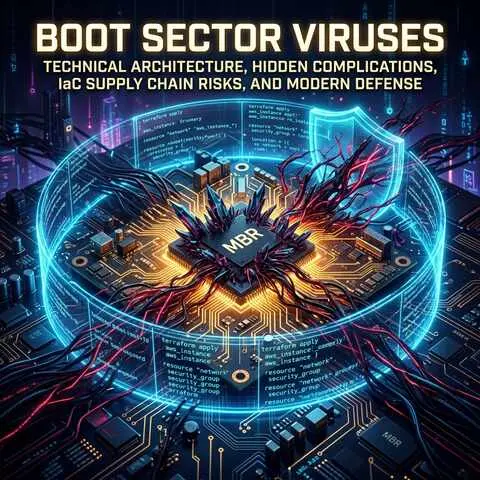
Related Cybersecurity Guides and Tutorials: Malware Analysis Boot Sector Viruses: Technical Architecture, Hidden Complications, IaC Supply Chain Risks, and Modern Defense
A comprehensive deep dive into boot sector viruses and modern bootkits, exploring pre-OS execution mechanics, hidden forensic complications, Infrastructure as Code (IaC) golden image risks, and enterprise-grade protection architectures.
Sep 5, 2026 Forensics
Virtualization Bare Metal Virtualization: Architecture, Real-World Use Cases, and Blue Team Challenges
An in-depth guide to bare metal (Type 1) virtualization, exploring how it works, real-world implementations, and the unique security challenges it presents for Blue Teams.
Jul 28, 2026 Infrastructure
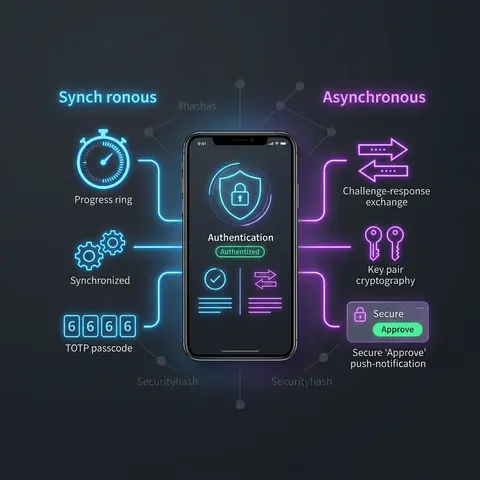
Authentication Software Tokens in Authentication: Synchronous vs Asynchronous Authentication Methods
Learn how software tokens work in modern authentication systems, the differences between synchronous and asynchronous token mechanisms, real-world use cases, security considerations, and implementation best practices.
Jun 18, 2026 Security
gcp Google Cloud (gcloud) CLI in Cybersecurity: Power and Peril
A deep dive into the Google Cloud Command Line Interface (gcloud), its critical importance for cybersecurity, essential commands for auditors and attackers, and the severe dangers of GCP misconfigurations.
Mar 20, 2026 misconfiguration
azure Azure CLI in Cybersecurity: Power and Peril
A deep dive into the Microsoft Azure Command-Line Interface (Azure CLI), its critical importance for cybersecurity, essential commands for auditors and attackers, and the severe dangers of Azure misconfigurations.
Mar 18, 2026 misconfiguration
aws AWS CLI in Cybersecurity: Power and Peril
A deep dive into the AWS Command Line Interface (CLI), its critical importance for cybersecurity, essential commands for auditors and attackers, and the severe dangers of cloud misconfigurations.
Mar 15, 2026 misconfiguration
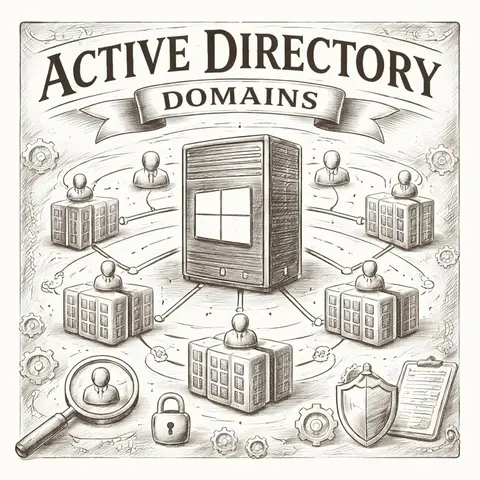
active-directory A comprehensive guide to Active Directory Domains, exploring their architecture, purpose, and common cybersecurity attack surfaces for both defenders and penetration testers.
Feb 17, 2026 blue-team
kerberoasting Kerberoasting: The Silent Identity Thief
A comprehensive deep dive into the Kerberoasting attack technique, explaining how attackers exploit Service Principal Names (SPNs) to crack service account passwords offline. This guide covers the mechanics, tools, OpSec considerations, and robust defense strategies.
Feb 17, 2026 credential-dumping
 Malware Analysis