Hardening Your Laravel Application: A Comprehensive Guide
Laravel is one of the most popular PHP frameworks in the world, renowned for its elegant syntax, developer experience, and robust out-of-the-box features. While Laravel includes many built-in security mechanisms, relying solely on the defaults is a risky proposition in today's threat landscape. Securing an application is not a checklist but a continuous process.
This comprehensive guide delves into to the architecture of Laravel security, explores common attack vectors, and provides clear, actionable steps and code samples to harden your Laravel application against sophisticated threats.
1. The Foundation: Environment and Configuration Security
The most critical vulnerabilities often stem from misconfigured environments, not flawed code. If an attacker gains access to your environment variables, the entire application is compromised.
Threat: Information Disclosure via APP_DEBUG
Leaving APP_DEBUG=true in a production environment is a catastrophic error. When an exception occurs, Laravel's error page (Ignition) displays stack traces, environment variables, database credentials, and application paths. This is a goldmine for attackers.
Step 1: Secure Your .env File
Ensure your production .env file is strictly configured.
If your web server (Nginx or Apache) is misconfigured, it might serve the .env file directly to anyone who requests https://yourdomain.com/.env.
Step 2: Web Server Configuration
Ensure your document root points to the public directory, not the project root. This physically isolates files like .env, composer.json, and your app directory from public access.
Nginx Configuration Example:
server { listen 80; server_name example.com; root /var/www/laravel-app/public; # IMPORTANT: Point to public/ add_header X-Frame-Options "SAMEORIGIN"; add_header X-XSS-Protection "1; mode=block"; add_header X-Content-Type-Options "nosniff"; index index.php; charset utf-8; location / { try_files $uri $uri/ /index.php?$query_string; } # Block access to hidden files (like .env) location ~ /\.(?!well-known).* { deny all; }}
2. Defending Against Injection Attacks (SQLi)
SQL Injection (SQLi) occurs when untrusted user input is concatenated directly into database queries, allowing attackers to manipulate the query logic, extract data, or modify the database.
Threat: Raw Queries and Unescaped Input
While Laravel's Eloquent ORM and Query Builder use PDO parameter binding by default (which inherently protects against SQLi), developers sometimes resort to raw queries for complex operations, reintroducing the risk.
Vulnerable Code:
// HIGHLY VULNERABLE$users = DB::select("SELECT * FROM users WHERE email = '" . $_GET['email'] . "'");
Step 3: Always Use Parameter Bindings
If you must use raw queries, strictly use parameter bindings.
Secure Code:
// SECURE: Using named bindings$users = DB::select('SELECT * FROM users WHERE email = :email', [ 'email' => $request->input('email')]);// SECURE: Using Eloquent (Preferred)$user = User::where('email', $request->input('email'))->first();
Beware of column name injections. If you are ordering by a user-supplied column, validate it strictly against an allowed list, as column names cannot be parameterized.
Mass assignment allows you to create or update a model using an array of data, typically directly from the request.
Threat: Unauthorized Privilege Escalation
If you pass $request->all() to a model without constraints, an attacker can inject additional fields into the request payload (like is_admin = 1) and grant themselves administrative privileges.
Vulnerable Code:
// If the attacker sends POST /users { "name": "Hacker", "is_admin": 1 }User::create($request->all());
Step 4: Strict $fillable or $guarded Properties
Always define which attributes can be mass-assigned using $fillable, or which should be blocked using $guarded.
Secure Code:
class User extends Authenticatable{ // Only these attributes can be mass-assigned protected $fillable = [ 'name', 'email', 'password', ]; // Alternatively, guard specific attributes (less preferred as new columns are vulnerable by default) // protected $guarded = ['id', 'is_admin'];}
Best Practice: Before Laravel 8, $guarded = [] was common if you validated requests manually. However, using Request Classes to strictly extract validated data is the most robust approach.
// SECURE: Only the validated fields are passed to the model$validated = $request->validate([ 'name' => 'required|string|max:255', 'email' => 'required|email|unique:users',]);User::create($validated);
4. Cross-Site Scripting (XSS) Prevention
XSS occurs when an application includes untrusted data in a web page without proper validation or escaping, allowing attackers to execute malicious JavaScript in victims' browsers.
Threat: Unescaped Output in Blade Templates
Laravel's Blade templating engine automatically escapes data output using {{ $variable }}. However, using the unescaped syntax {!! $variable !!} can expose you to XSS if the variable contains user input.
Step 5: Sanitize and Escape Output
Always use the default {{ }} syntax for user-generated content.
Secure Code:
<!-- SECURE: Blade calls htmlspecialchars() --><h1>Welcome, {{ $user->name }}</h1><!-- DANGEROUS: Only use if $content is strictly trusted HTML --><div>{!! $article->content !!}</div>
If you must allow users to input HTML (e.g., a rich text editor), use a robust HTML purifier library like mewebstudio/Purifier before saving to the database or rendering.
// Ensure purifer is installed: composer require mews/purifier$cleanHtml = clean($request->input('rich_text_content'));
5. Cross-Site Request Forgery (CSRF)
CSRF tricks a victim's browser into executing unwanted actions on an application where they are currently authenticated.
Threat: State-Changing GET Requests or Missing Tokens
If your application performs state changes (like deleting a user or transferring funds) via GET requests, or if POST requests don't validate origin intent, you are vulnerable.
Step 6: Enforce CSRF Tokens
Laravel automatically includes the VerifyCsrfToken middleware in the web middleware group. Ensure all HTML forms use the @csrf Blade directive.
Authentication is the gateway to your application. Weak authentication mechanisms invite credential stuffing and brute-force attacks.
Threat: Unlimited Login Attempts
Without rate limiting, an attacker can continuously bombard your login endpoint with password guesses until they succeed.
Step 7: Implement Rate Limiting (Throttling)
Laravel provides a built-in ThrottleRequests middleware. If you are using Laravel Breeze, Jetstream, or Fortify, login rate limiting is included by default. If building custom authentication, enforce it manually.
Secure Route Configuration:
use Illuminate\Support\Facades\Route;// Restrict to 5 login attempts per minute per IPRoute::post('/login', [AuthController::class, 'login']) ->middleware('throttle:5,1');
Alternatively, configure global rate limiters in your RouteServiceProvider or App\Providers\AppServiceProvider (Laravel 11+).
use Illuminate\Cache\RateLimiting\Limit;use Illuminate\Support\Facades\RateLimiter;RateLimiter::for('api', function (Request $request) { return Limit::perMinute(60)->by($request->user()?->id ?: $request->ip());});
Step 8: Strong Password Policies
Enforce modern password requirements using Laravel's Password::defaults().
Secure Validation:
use Illuminate\Validation\Rules\Password;$request->validate([ 'password' => ['required', 'confirmed', Password::min(8) ->letters() ->mixedCase() ->numbers() ->symbols() ->uncompromised() // Checks password against HaveIBeenPwned database ],]);
7. Secure File Uploads
File uploads are exceptionally dangerous. If an attacker uploads a PHP script instead of an image, they can achieve Remote Code Execution (RCE).
Threat: Malicious Executables and Path Traversal
Trusting the client-provided file extension or MIME type is critical flaw. Storing uploaded files in the public directory without renaming them allows direct execution.
Step 9: Strict Validation and Isolation
Validate the file securely, never trust the original filename, and store files outside the public document root if they don't need direct public access.
Secure Upload Handling:
public function storeAvatar(Request $request){ $request->validate([ // Strictly validate image type and size (e.g., 2MB max) 'avatar' => 'required|file|image|mimes:jpeg,png,webp|max:2048', ]); $file = $request->file('avatar'); // Generate a safe, random filename. Never use $file->getClientOriginalName() $filename = $file->hashName(); // Store in the 'avatars' directory on the 'local' disk (storage/app/avatars) // This directory is NOT publicly accessible by default. $path = $file->storeAs('avatars', $filename, 'local'); $request->user()->update(['avatar_path' => $path]); return back()->with('status', 'Avatar updated!');}
To serve these files safely, create a dedicated route that verifies authorization before returning the file content:
Route::get('/avatar/{userId}', function ($userId) { $user = User::findOrFail($userId); // Check authorization (e.g., using Policies) if (request()->user()->cannot('viewAvatar', $user)) { abort(403); } return response()->file(storage_path('app/' . $user->avatar_path));})->middleware('auth');
8. Implementing Security Headers
HTTP security headers instruct the browser on how to behave, adding an essential layer of defense against XSS, clickjacking, and packet sniffing.
Threat: Browser-Side Exploits
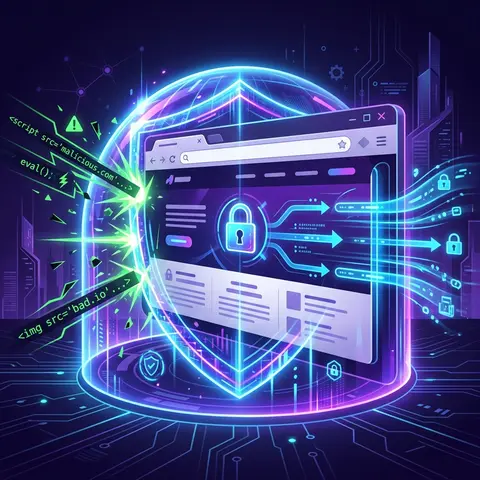
Without headers like Content Security Policy (CSP), a browser will execute any script injected into the page.
Step 10: Register Security Headers Middleware
You can add headers via your web server (Nginx/Apache) or create a Laravel Application Middleware.
Creating the Middleware (app/Http/Middleware/SecurityHeaders.php):
namespace App\Http\Middleware;use Closure;use Illuminate\Http\Request;class SecurityHeaders{ public function handle(Request $request, Closure $next) { $response = $next($request); $response->headers->set('X-Frame-Options', 'SAMEORIGIN'); $response->headers->set('X-XSS-Protection', '1; mode=block'); $response->headers->set('X-Content-Type-Options', 'nosniff'); $response->headers->set('Referrer-Policy', 'strict-origin-when-cross-origin'); $response->headers->set('Strict-Transport-Security', 'max-age=31536000; includeSubDomains'); // A basic CSP (Customize heavily based on your application needs) $response->headers->set('Content-Security-Policy', "default-src 'self'; script-src 'self' 'unsafe-inline'; style-src 'self' 'unsafe-inline'; img-src 'self' data:;"); return $response; }}
Register this middleware in your bootstrap/app.php (Laravel 11) or app/Http/Kernel.php (Laravel 10 and below) to ensure it runs on all web requests.
9. Dependency Management and Supply Chain Security
Your code might be secure, but what about the dozens of packages in your vendor directory?
Threat: Vulnerable Third-Party Packages
Attackers actively scan for applications using outdated versions of Laravel, Symfony components, or other npm/composer packages with known CVEs.
Step 11: Audit and Update Regularly
Integrate dependency checking into your CI/CD pipeline and local workflow.
For Composer (PHP dependencies):
# Check for known vulnerabilities in installed packagescomposer audit
For NPM (JavaScript/CSS dependencies):
npm audit
Consider tools like Dependabot (for GitHub) or Snyk to automatically monitor and create pull requests when vulnerable dependencies are found.
10. Managing Sessions and Cookies Securely
Session hijacking allows an attacker to take over a user's authenticated session if they can intercept the session cookie.
Threat: Man-in-the-Middle (MitM) and XSS Cookie Theft
If cookies are sent over unencrypted HTTP or are accessible via JavaScript, they are highly vulnerable.
Step 12: Secure config/session.php
Ensure your session configuration enforces secure transmission and HTTP-only flags.
// config/session.phpreturn [ // ... // Ensures cookies are only sent over HTTPS 'secure' => env('SESSION_SECURE_COOKIE', true), // Prevents JavaScript (XSS) from accessing the cookie 'http_only' => true, // Prevents the browser from sending the cookie along with cross-site requests 'same_site' => 'lax', // Use 'strict' for extra security if your app flow allows it];
Make sure your production .env is enforcingHTTPS by setting SESSION_SECURE_COOKIE=true.
Conclusion
Hardening a Laravel application goes far beyond using the latest framework version. It requires a defense-in-depth approach: securing the server environment, writing defensive query logic, strictly validating input, establishing sound file upload practices, and dictating browser behavior via security headers.
By implementing the steps outlined in this guide—from robust Eloquent usage to strict rate limiting and Content Security Policies—you transition your Laravel application from being a soft target into a hardened fortress, safeguarding both your data and your users. Security is never "done," but proactive architecture is the strongest defense.
 Threat Modeling