Bare Metal Virtualization: Architecture, Real-World Use Cases, and Blue Team Challenges
The modern data center runs on virtualization. Whether you are interacting with an on-premises enterprise environment or spinning up instances in the cloud, you are almost certainly interacting with virtualized infrastructure. At the heart of enterprise-grade virtualization is the Bare Metal Hypervisor, also known as a Type 1 Hypervisor.
While virtualization brings immense benefits in terms of resource optimization, scalability, and disaster recovery, it also shifts the security paradigm. The abstraction of hardware into software introduces new attack vectors and visibility blind spots.
In this comprehensive guide, we will explore what bare metal virtualization is, examine real-world examples, and dive deep into the specific challenges that Blue Teams face when defending these environments.
1. What is Bare Metal Virtualization?
To understand bare metal virtualization, we must first understand the concept of a hypervisor. A hypervisor, or Virtual Machine Monitor (VMM), is the software that creates and runs virtual machines (VMs). It isolates the VMs from one another and allocates hardware resources (CPU, RAM, Storage, Network) to each of them.
Hypervisors are generally categorized into two types:
Type 2 Hypervisor (Hosted)
A Type 2 hypervisor runs as a software application on top of a traditional operating system (like Windows, Linux, or macOS).
Architecture: Hardware -> Host OS -> Hypervisor -> Guest OS.
Use Case: Primarily used for desktop virtualization, software development, testing, and running legacy applications on a personal computer. They introduce significant overhead because hardware requests from the guest VM must pass through both the hypervisor and the host OS.
A Type 1 hypervisor is installed directly on the physical hardware (the "bare metal"), entirely replacing a traditional host operating system. The hypervisor itself acts as a lightweight operating system, designed explicitly to manage virtual machines.
Architecture: Hardware -> Hypervisor -> Guest OS.
Advantages: By removing the host OS middleman, bare metal hypervisors offer dramatically better performance, lower latency, and higher security. The hypervisor has direct access to the CPU, memory, and physical network interfaces.
Use Case: Enterprise data centers, cloud service providers (AWS, Azure, GCP), and high-performance computing environments.
The enterprise market is dominated by a few key players in the bare metal virtualization space. Understanding these platforms is critical for any infrastructure or security professional.
VMware ESXi
VMware ESXi is arguably the most recognized and widely deployed bare metal hypervisor in corporate data centers. It is the core component of the broader VMware vSphere suite. ESXi is known for its tiny footprint (it can be run from a USB drive or SD card) and its robust feature set, including live migration (vMotion), high availability (HA), and distributed resource scheduling (DRS). ESXi is entirely proprietary.
Microsoft Hyper-V
Hyper-V is Microsoft's native bare metal hypervisor. While it is often installed as a role within Windows Server, it actually runs directly on the hardware. When the Hyper-V role is enabled, the original Windows Server OS becomes the "parent partition" (essentially a privileged management VM), and the hypervisor slips underneath it. Hyper-V is deeply integrated into the Windows ecosystem and is the foundational technology powering the Microsoft Azure cloud.
Proxmox Virtual Environment (VE)
Proxmox VE is a powerful, open-source server virtualization management platform. It is based on Debian Linux and utilizes KVM (Kernel-based Virtual Machine) as its hypervisor. Because it is open-source and lacks the steep licensing costs of VMware, it is incredibly popular in homelabs, small-to-medium businesses (SMBs), and cost-conscious enterprises. It also supports LXC (Linux Containers) alongside traditional VMs.
Xen (Citrix Hypervisor / XCP-ng)
The Xen Project is a widely used open-source bare metal hypervisor. It utilizes a unique architecture featuring a "Dom0" (Domain 0), a privileged management domain (usually running Linux) that interfaces directly with the hardware and manages the unprivileged guest domains ("DomU"). Xen was famously the foundational technology for Amazon Web Services (AWS) in its early years (though AWS has since largely transitioned to its custom Nitro hypervisor, which is KVM-based).
3. The Security Paradigm Shift
From a security perspective, moving from physical servers to bare metal virtualization changes the game.
In a traditional physical environment, isolating a highly sensitive database meant putting it on its own physical server, plugging it into a dedicated network switch port, and wrapping it in a physical firewall.
In a virtualized environment, that highly sensitive database VM might be running on the exact same physical CPU and RAM as a low-security web server VM that is exposed to the internet. The isolation between them is entirely software-defined. If the software (the hypervisor) fails to enforce that isolation, the security boundary completely collapses.
4. Blue Team Challenges in Bare Metal Environments
Defending a virtualized environment requires a deep understanding of hypervisor architecture. Blue Teams (defenders) face several unique challenges when monitoring and securing bare metal virtualization.
Challenge 1: VM Escape and Hypervisor Vulnerabilities
The nightmare scenario in virtualization is a VM Escape. This occurs when an attacker gains administrative privileges on a Guest VM, and then exploits a vulnerability in the hypervisor to break out of the VM and interact with the hypervisor itself or other VMs on the same physical host.
While true VM escapes are relatively rare in the wild, they are highly prized by advanced persistent threats (APTs). Vulnerabilities in simulated hardware drivers (like virtual floppy drives, virtual network cards, or virtual graphics adapters) are common vectors for these escapes.
Blue Team Defense:
Aggressive Patch Management: Hypervisors must be patched relentlessly. A vulnerability in ESXi or Hyper-V compromises every VM on the host.
Minimizing the Attack Surface: Disable unused virtual hardware. If a VM doesn't need a virtual CD-ROM drive, sound card, or floppy drive, remove them. Every piece of virtual hardware represents thousands of lines of code that could contain a vulnerability.
Challenge 2: The "Blind Spot" of Inter-VM Traffic (East-West Traffic)
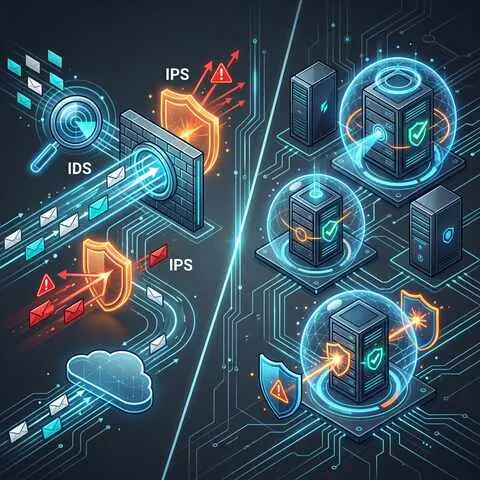
In a physical network, if Server A talks to Server B, the traffic flows through physical switches and routers, where Intrusion Detection Systems (IDS) and firewalls can easily intercept and inspect it.
In a virtualized environment, VMs on the same physical host communicate via a Virtual Switch (vSwitch) managed by the hypervisor. This traffic never leaves the physical server; it never hits the physical network infrastructure.
If an attacker compromises a web server VM and uses it to attack a database VM on the same host, a traditional physical network firewall will never see the attack. This lateral movement is referred to as "East-West" traffic, and lack of visibility here is a massive blind spot for Blue Teams.
Blue Team Defense:
Microsegmentation: Utilize network virtualization technologies (like VMware NSX or advanced Hyper-V networking) to enforce firewall rules at the virtual network interface card (vNIC) level of every single VM. This essentially puts a firewall around every VM, regardless of its physical location.
Virtual Taps and Port Mirroring: Configure the virtual switch to mirror traffic to a dedicated security monitoring VM running an IDS (like Zeek or Suricata) deployed directly on the hypervisor.
Challenge 3: Management Interface Security
Bare metal hypervisors are managed through central consoles (e.g., VMware vCenter, Microsoft System Center, Proxmox Web GUI) and command-line interfaces (SSH). These management interfaces are the keys to the kingdom. If an attacker gains access to vCenter, they effectively own the entire data center. They can delete VMs, clone sensitive databases, modify network routing, and export virtual disks.
Blue Team Defense:
Strict Network Isolation: Management interfaces should NEVER be exposed to the internet. They should reside on a dedicated, highly restricted Management VLAN.
Jump Boxes and Bastion Hosts: Administrators should only be able to access the management VLAN via secure, heavily monitored jump boxes.
Multi-Factor Authentication (MFA): Enforce MFA for all access to vCenter, Hyper-V Manager, and any hypervisor SSH access.
Role-Based Access Control (RBAC): Not every admin needs full root/administrator privileges. Implement strict RBAC. An admin responsible for deploying test VMs should not have the ability to delete production VMs or modify virtual network topologies.
Challenge 4: Snapshot and Virtual Disk Security
Virtualization makes it incredibly easy to take "snapshots" of VMs—capturing their exact state (disk and memory) at a specific point in time. It also allows for VMs to be cloned or backed up seamlessly.
While great for disaster recovery, this presents a massive data exfiltration risk. A snapshot or a .vmdk (VMware Virtual Disk) file contains the entire operating system, application data, registry, and potentially cached credentials in memory. If an attacker gains access to the storage array holding these files, or if an insider threat copies a snapshot to a USB drive, they have stolen the entire server without ever having to "hack" the guest OS over the network.
Furthermore, orphaned snapshots (snapshots taken and forgotten) can create vulnerabilities. If a VM is patched, but a snapshot from before the patch is accidentally reverted, the VM suddenly becomes vulnerable again without anyone noticing.
Blue Team Defense:
Storage Encryption: Utilize hypervisor-level encryption or self-encrypting drives (SEDs) to ensure that virtual disk files are encrypted at rest. Even if a .vmdk file is stolen, it cannot be read without the encryption key.
Snapshot Lifecycle Management: Implement strict policies on how long snapshots can exist. Use automation to alert on or automatically delete snapshots older than a few days.
Auditing Storage Access: Monitor and audit access to the underlying datastores (SAN/NAS) where virtual disks reside.
Challenge 5: Time Synchronization (NTP) Attacks
In virtualized environments, guest VMs often rely on the underlying hypervisor for their system time. Cryptographic protocols (like Kerberos used in Active Directory, or TLS certificates) are highly dependent on accurate time synchronization.
If an attacker can compromise the hypervisor's Network Time Protocol (NTP) source or manipulate the time integration tools (like VMware Tools), they can artificially shift the time on the guest VMs. This can lead to:
Replay attacks.
Expiration of valid certificates, causing denial of service.
Bypassing time-based access controls.
Throwing off log correlation and SIEM analysis during an incident investigation.
Blue Team Defense:
Secure NTP Infrastructure: Ensure the hypervisors are pulling time from trusted, internal Stratum 1 or Stratum 2 NTP servers.
Monitor Time Drifts: Configure SIEM alerts for significant time drifts on critical infrastructure servers or hypervisors.
5. Summary of Best Practices for Securing Bare Metal Hypervisors
To summarize the defensive strategies, Blue Teams should advocate for the following hardening practices when deploying bare metal virtualization:
Separate Networks Physically or Logically: Ensure distinct VLANs for Management traffic, vMotion/Live Migration traffic, Storage (iSCSI/NFS) traffic, and Guest VM traffic.
Implement Microsegmentation: Do not rely solely on perimeter firewalls. Enforce security policies between VMs on the same host using virtual firewalls.
Enforce Least Privilege (RBAC): Limit administrator access strictly to what is required for their role.
Monitor the Hypervisor Logs: Collect and analyze logs from ESXi, vCenter, or Proxmox centrally in a SIEM. Look for unauthorized logins, unexpected VM deletions, or changes to virtual switches.
Secure the Supply Chain: Ensure that the ISO images used to install the hypervisors and Guest OSs are verified with checksums and sourced directly from the vendor.
Conclusion
Bare metal virtualization is the bedrock of modern IT infrastructure. While Type 1 hypervisors provide immense performance and management benefits, they fundamentally alter the security landscape.
For Blue Teams, defending these environments requires shifting focus from physical cables and switches to virtual switches, microsegmentation, and hypervisor management consoles. By understanding the architecture of bare metal hypervisors, anticipating threats like VM escapes and East-West lateral movement, and implementing rigorous hardening and monitoring practices, security professionals can ensure that the virtualization layer remains a robust and secure foundation for the enterprise.
 Malware Analysis